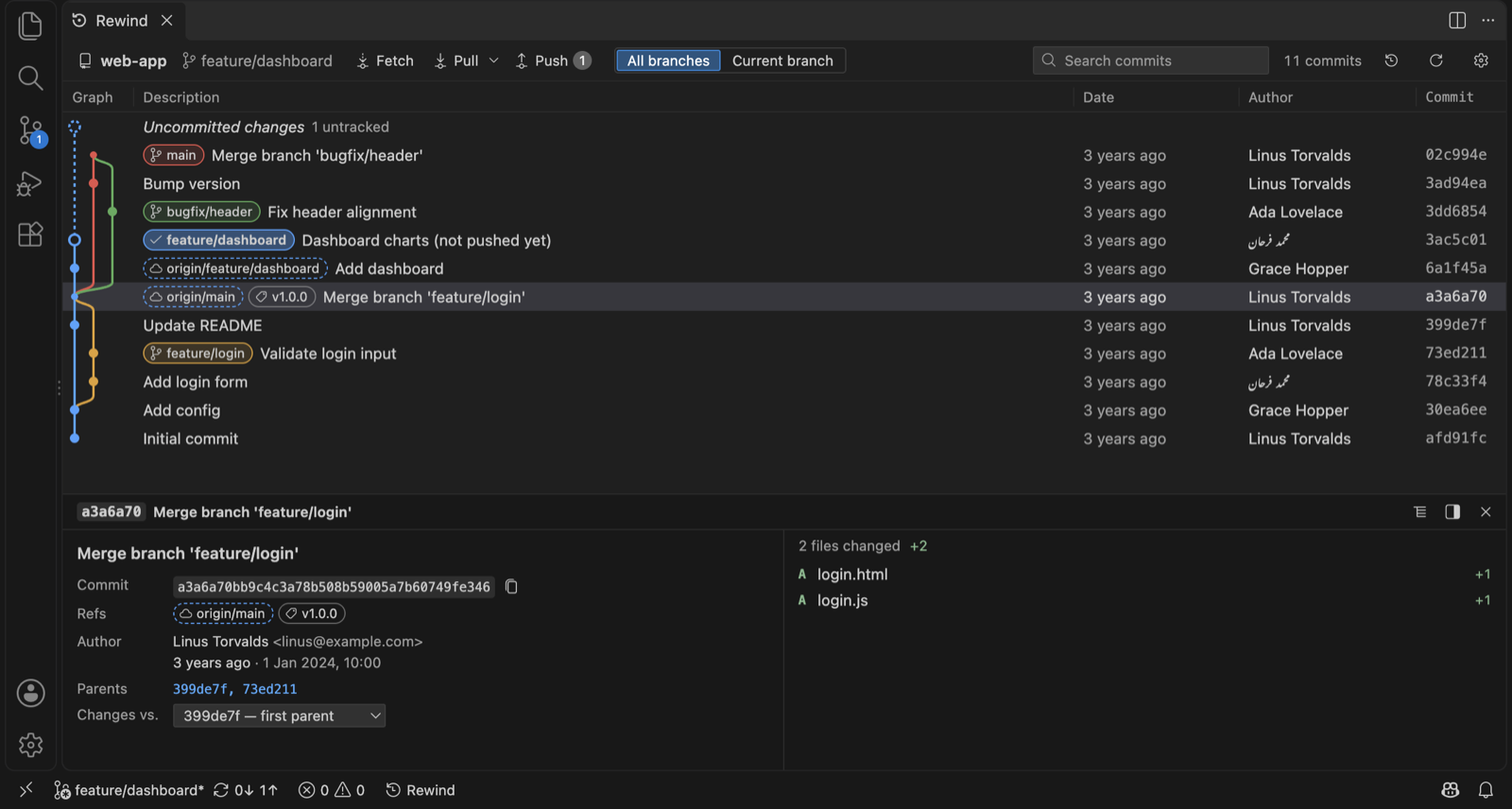
A graph you can read
Every branch, tag and remote on one graph. Smooth with 100,000 commits. Click a commit for its files and diffs.
 Rewind
Beta
Rewind
Beta
Rewind is a fast Git graph with one-click history editing, an Undo button for everything, and a side-by-side conflict solver. As a desktop app, and inside VS Code and Cursor.
A private beta. Thanks for trying it!
Every branch, tag and remote on one graph. Smooth with 100,000 commits. Click a commit for its files and diffs.
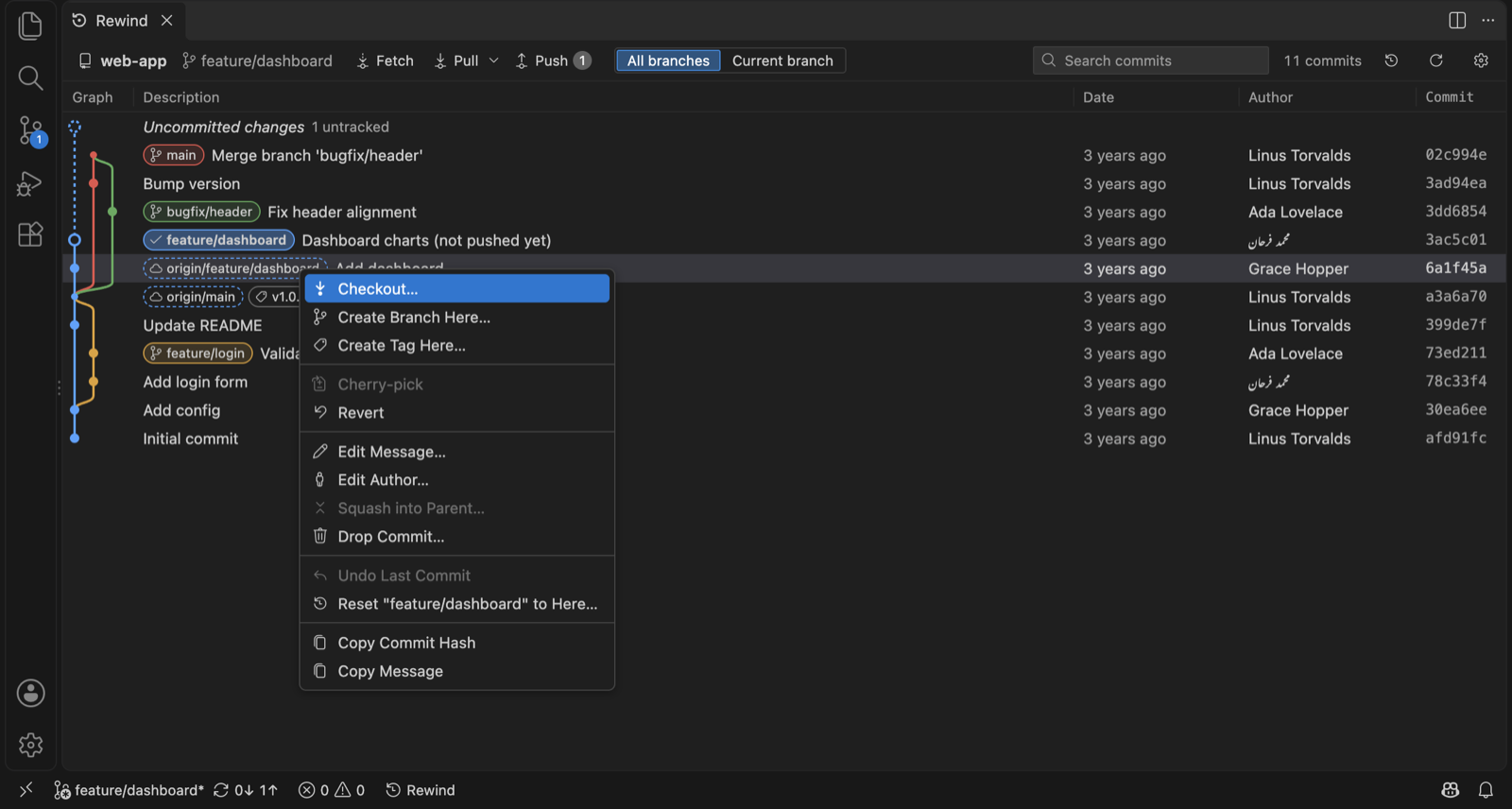
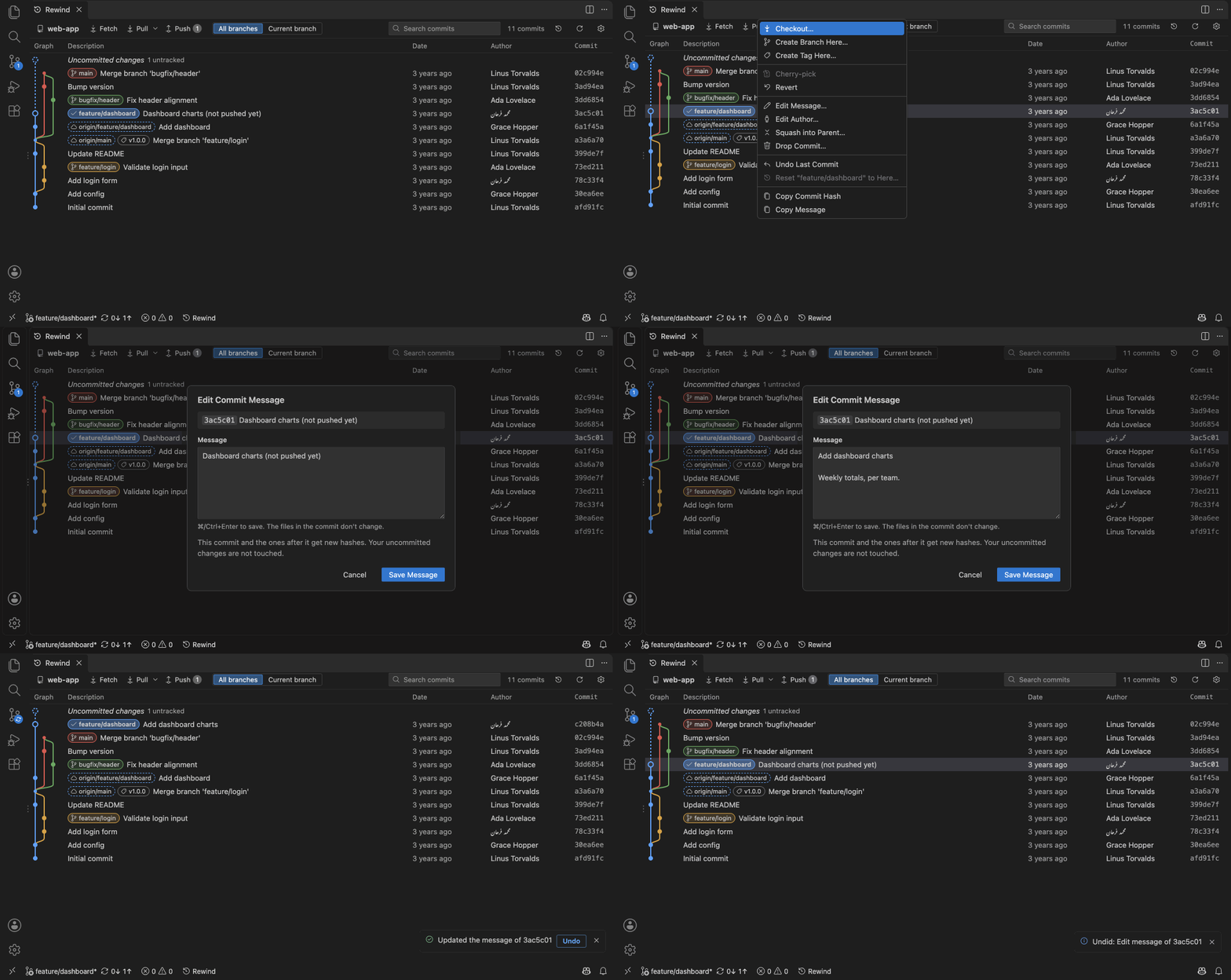
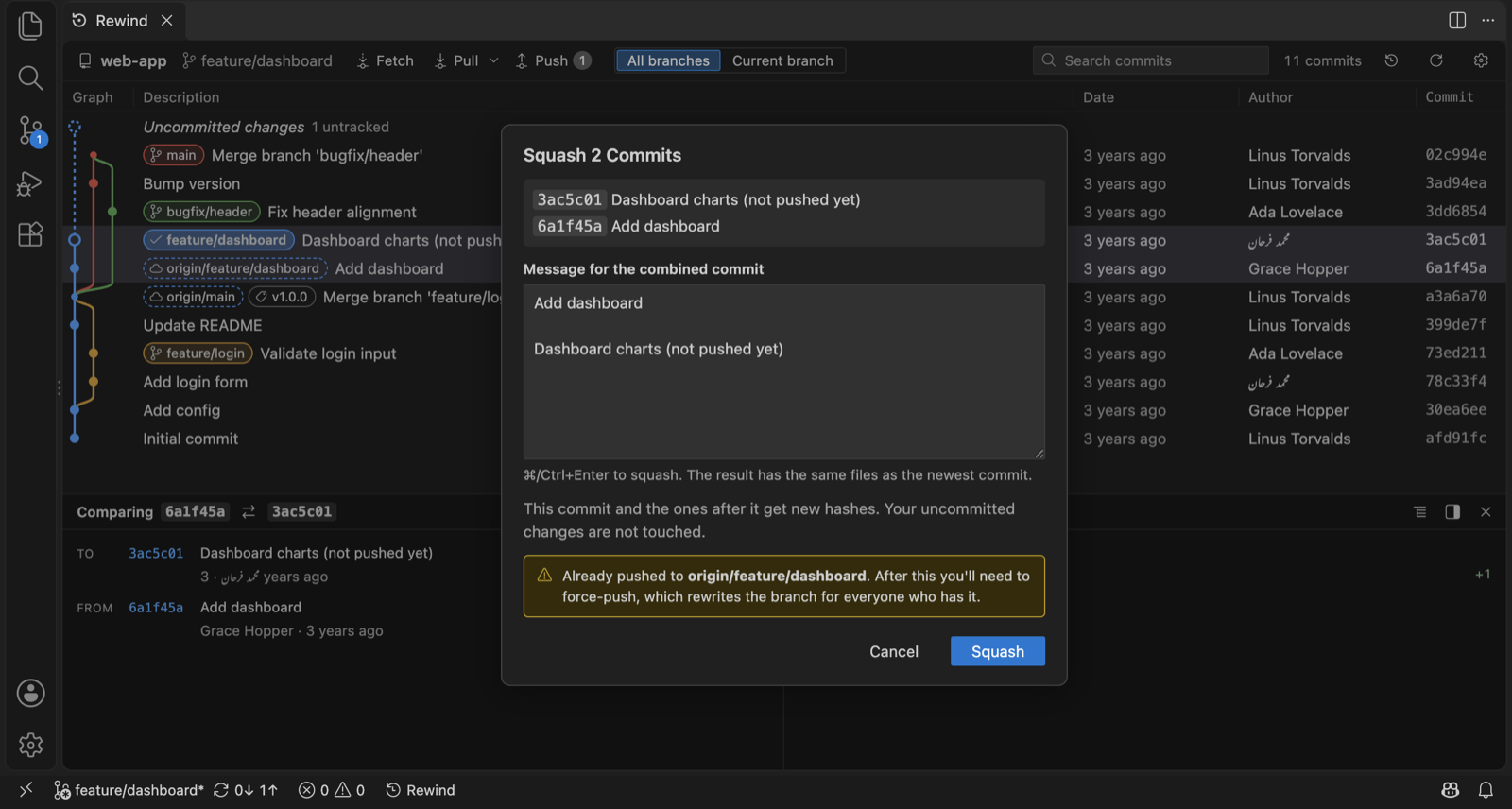
Reword or change the author of any commit, squash, drop, reorder: right-click, done. No rebase to babysit.
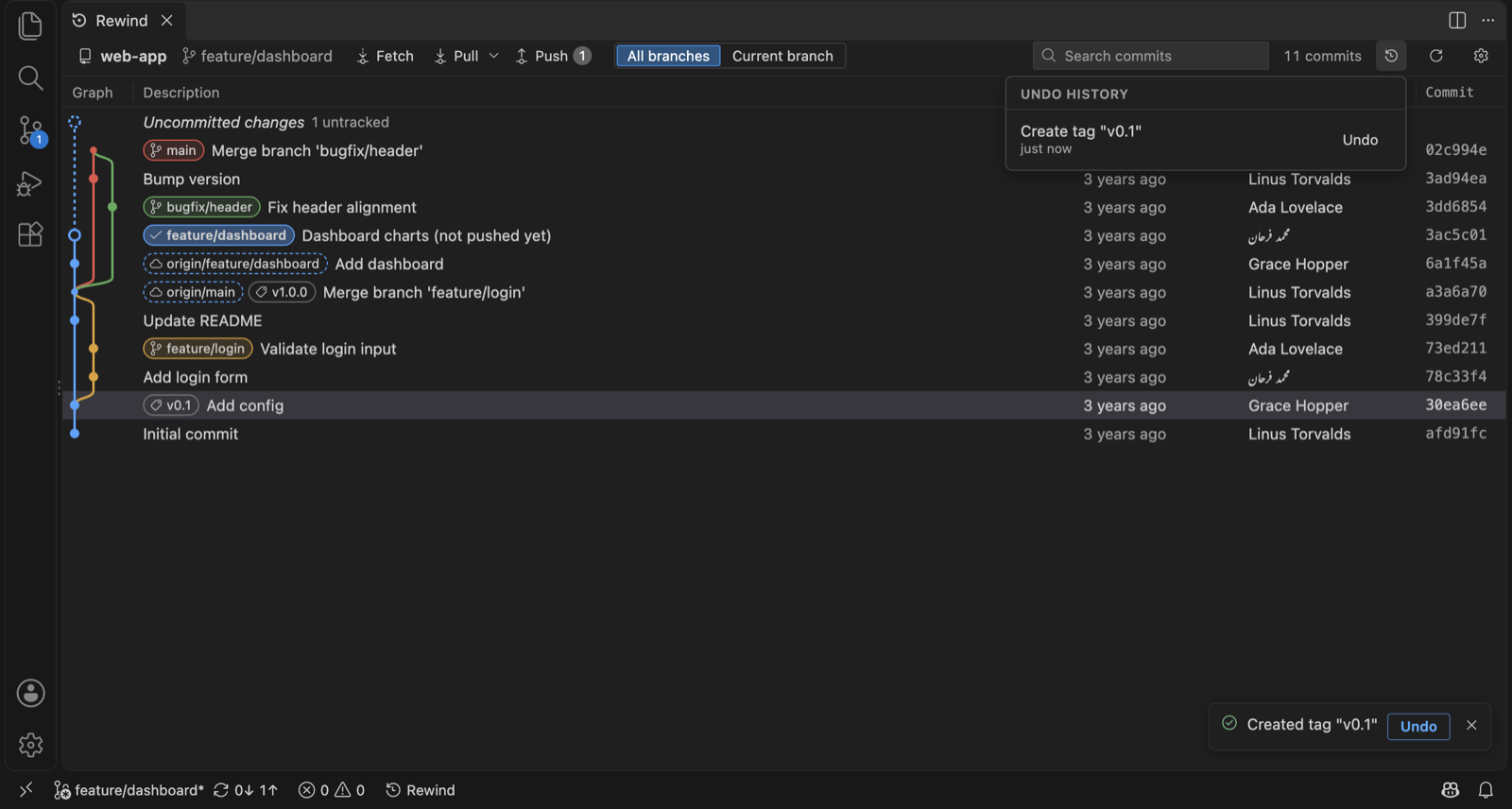
Every action has an Undo button, even a hard reset that threw away your uncommitted work.
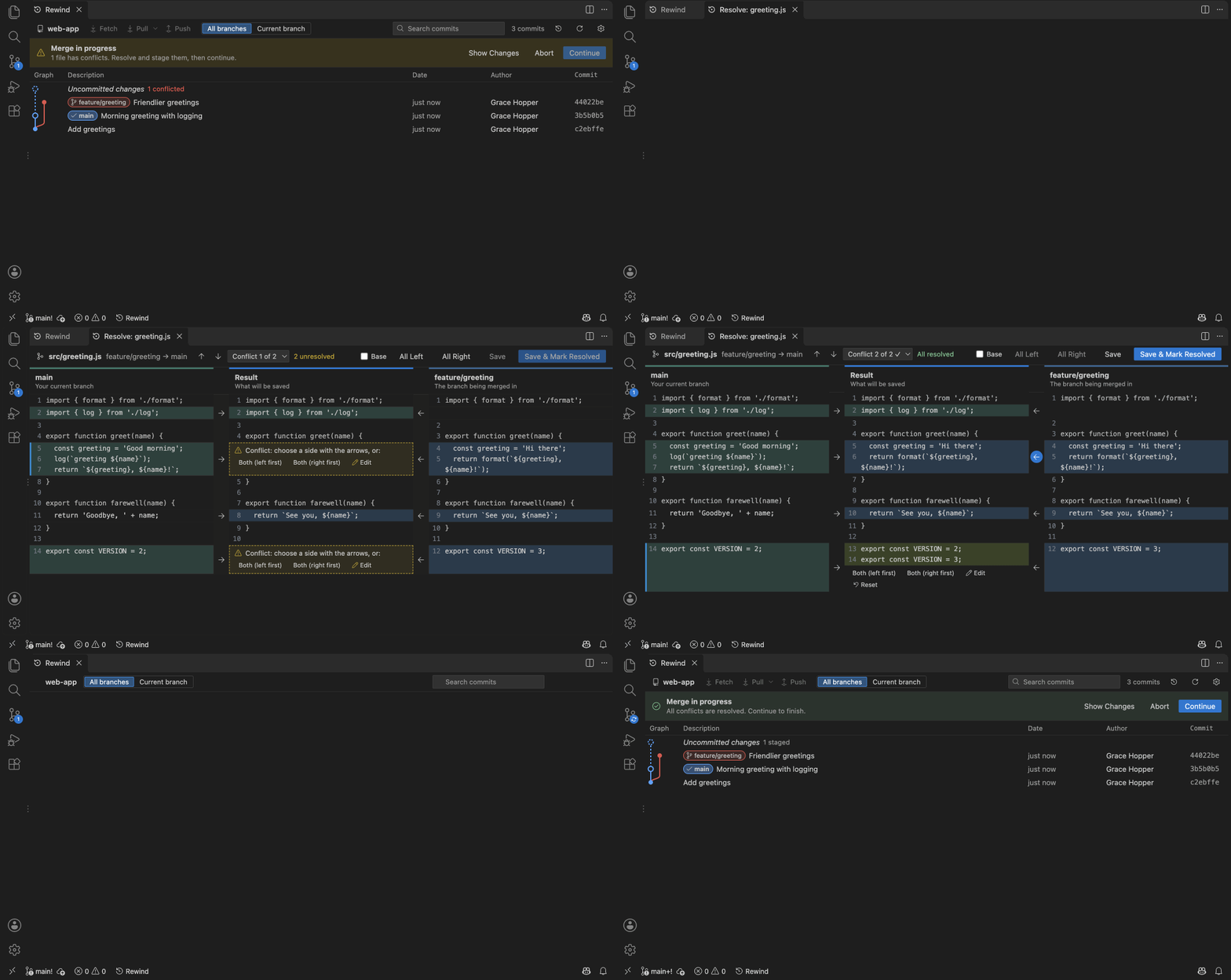
Your side, theirs, and the result. Take a side in one click; the easy parts are done for you.
Pick exactly which lines go into a commit. Stash, cherry-pick, worktrees, blame and file history too.
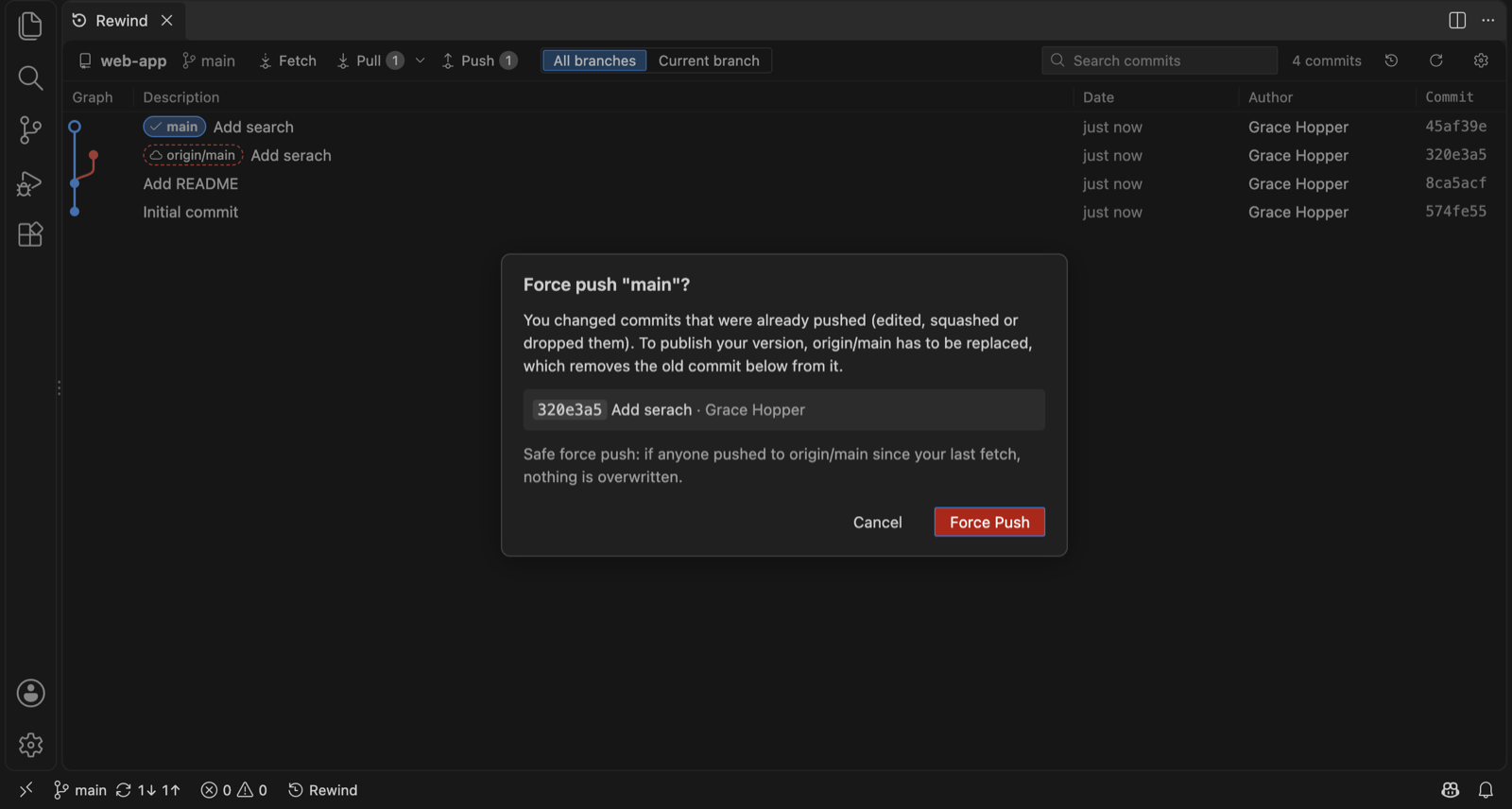
With plain-language errors, sign-in prompts that don't hang, and a safe force push when you need one.
Free during the beta. You need Git installed.
macOS 12 or later
Apple Silicon (M1–M4) IntelNot sure? Apple menu › About This Mac: "Chip: Apple…" is Apple Silicon.
Windows 10 or 11, 64-bit
Installer (.exe)64-bit (x86_64)
AppImage Debian / Ubuntu (.deb)VS Code 1.95+, Cursor, Windsurf
Extension (.vsix)Installed from the file, not the Marketplace (see how).
The beta isn't signed by Apple or Microsoft yet, so your computer asks once whether you trust it. Here's how to say yes.
.dmg and drag Rewind into
Applications.
.exe.A work computer may not allow apps from outside its store; ask your IT team if it's blocked.
AppImage (any distribution):
chmod +x Rewind-*.AppImage
./Rewind-*.AppImage
Debian / Ubuntu:
sudo apt install ./Rewind-*.debrewind-beta.vsix.Or from a terminal:
code --install-extension rewind-beta.vsixFor Cursor, use cursor instead of code.
Desktop: File › Open Repository…, or clone one from the start page.
VS Code: open your project, then click Rewind in the status
bar or run Rewind: Show Git Graph (⇧⌘P / Ctrl+Shift+P).
Click a commit to see what changed. Right-click a commit, branch or tag for everything you can do with it.
Click Uncommitted changes at the top of the graph: stage files (or single lines), write a message, commit.
Made a mistake? Click Undo on the notice, or the Undo history button in the toolbar.
What did you use most? What confused you? What's missing? Would you pay for it? Every answer helps.
Send feedbackIn the app: Help › Send Feedback… · In VS Code: Rewind: Send Feedback